Showing posts with label WAP. Show all posts

Friday, March 20, 2009

2D Barcodes to assist mobile content download

The 2D barcode model by its very nature works well in facilitating the download of content ( wall papers, ringtones, games etc) on the mobile device. I have been a strong supporter of the use of the barcodes in helping download content and I believe that digital content rather than mobile advertising would make the 2D barcode scanning adoption wider.

The use of 2D Barcodes (QR Codes) began in Japan and we had all sorts of applications coming out including the use of barcodes to deliver content.
 
The first time I saw barcodes being used for downloads close to home was back in 2006 when GetJar was using the GOD application to allow users to scan ShotCodes . The model was simple, the scanner worked on most camera phones, the Shotcode was easy to scan even with the quality of images from most cell phone cameras at that time, the scanner would shoot the code and launch the WAP browser that pointed to the download page for the application. The barcodes were published on the website under the Camera download section.  For some reason, I guess GetJar stopped using the 2D barcode system on their site, I do not find it anymore.

I recently came across Cellufun using the same download model using ScanLife EzCodes to facilitate downloads.  They have placed a barcode with all their content, the barcode is displayed in a "GET IT NOW" web widget displayed on either the left or right of all content pages. The barcode currently points to the main cellufun wap site rather than to the individual content page. I was hoping for a similar flow as the Camera Download on GetJar earlier but was disappointed. Its promising to see barcodes pop up on content download sites nevertheless. 

Competing with SMS
The short code SMS technology has long been used in downloading content and rightly so, it works !!!. I believe the mobile 2D barcode technology will work even better in some cases. The way I see it, usability plays a big role:  Launch the scanner app ( hopefully through a shortcut key), wave it over the barcode and voila information is captured and sent as opposed to opening up the compose box and texting in the characters and pressing the send button.
 SMS technology will still remain superior when it comes to pushing downloads on radio or television ( I really don't see people scanning the barcodes of their TV screens ... not yet at least) but its the pushing of content downloads from printed material and regular web sites where the 2D barcode technology can make a significant impact.This being said, the industry behind the 2D barcode technology needs to get its act together and tackle the issues:
1. Standardization: The industry is going through its own "browser wars" phase with everyone coming out with their own proprietery 2d symbology.  The industry must agree on certain formats, I do not think just the one format would be the clear winner as every symbology has its advantages in its own space. 
2. Interoperability: Lets face it, there are plenty of Scanner applications out there and as many resolution systems. The systems need to learn to talk the same language to interoperate. The GSMA and OMA standards for mobile barcodes looks like a step in the right direction.
3. Preloads Preloads Preloads: Burn the scanner app within the native camera module. The end user doesnt need a scanner app, he already has the camera. The 2D system that does this on a larger scale wins...

Peek into the Future
The 2D barcode technology has a Ace up its sleeve, "download content directly from the barcode" , No data connection required(take that SMS).  Imagine downloading a game or wallpaper without a data connection.

Applix and Mediaseek had announced that would work together on a camera based content management system (using CamReader) back in february. The CamReader app in Japan has already been use to download Jpegs and videos directly off QR codes.
The Mobile Multi Color Composite 2D codes (MMCC)created a buzz when they were announced and show a lot of promise in delivering content.  Cant wait till they get adopted in the main stream.

The V-Code (video 2D code) is another technology that could completely revamp the content download space. The only drawback is that since its a video code, it cannot be used on printed material but delivering content from websites would be a breeze especially in markets like India where data service on mobile phones is just picking up and there is a big demand for graphic content.

Barcodes, Barcodes and more Barcodes....
Qr Code started off as de facto standard in Japan but never really caught on in the rest of the world in the early years as the phone cameras were incapable of handling the density, this seems to be changing now as there is a wider adoption of smart phones. Datamatrix, more prevelant in Europe did get a good start with the Imode specification in France but I am now not sure as to its international appeal. Proprietery technologies (EzCode, Qode, BeeTagg, Microsoft Tag ... ) have had success in the recent years in several mobile phone based campaigns due to the ease of scanning that they offer.

I do believe that the 2D barcode industry should actively focus on the digital content market and provide solutions that make it easier for content providers to push content to the end user through the 2d codes. Content embedding barcodes show promise but until they become a reality the 2d barcode technology can rely on the on the in-direct model of taking the end user to the wap page with the link to download the content. 

Thursday, March 12, 2009

Web as a mobile Enterprise Application Pllatform

John Huffman wrote up a interesting post on why the web (WAP) platform is just not cut out for enterprise applications as yet. He points out the following reasons for the thin client approach not making the cut:

"Latency - The first big obstacle was the screen refresh problem. Any time we wanted to change application state required a round trip to the server and a screen refresh. With AJAX this is better, but it does makes development more difficult.

Device Features - One of the main reason that we people use mobile devices is for all of the cool features such as barcode scanning, magnetic stripe readers, cameras, video, messaging, etc.   Not to mention a pretty powerful CPU, persistent storage, and the other features of a portable computer. With web apps, you are generally limited to the functionality of your browser. To some extent you can get around this with ActiveX controls and third party browser extensions such as Motorola’s PocketBrowser, but this is all custom.
Bells and Whistles -Audio is a critical component of Enterprise applications. For some reason Microsoft all but eliminated sound from the mobile web. Without audio cues, alerting users of errors is less effective. Again we can use third party tools for this such as PocketBrowser, but…
Web Standards Support - Here’s another big frustration area that drives developers crazy. It’s only natural that the Microsoft developers made some trade offs when they implemented the mobile browsers, but clearly they weren’t targeting it as an application platform from their choices. Take the single window limitation, i.e. no popup window for displaying error messages or alerts. Or not supporting absolute position.  While these types of limits don’t prevent development, it just makes things more difficult."

I couldnt agree with him more on the frustration at the lack of support for Web standards.  In the mobile world anything goes including very loose implementation and own interpretation of the standards. Device features is another strong point in the demise of WAP. The WTAI spec seems to have been abandoned, I would have hoped that more URI schemes would be added to support access to camera etc but the mobile browser for now is just not heading in that direction. 

Another approach would be a thin client application that embeds the browser inside it. This still gives you flexibility to modify the interface from the server and the thin client can access the device features. On BREW, IHTMLVIEWER control is something I have used, pretty flexible though it works only with the HTML 4.1 standard out of the box but certain features can be modifed. On most smart phones including Iphone the browser can be embedded inside the app. This gives flexibility to the server component to adapt and modify the user experience with ease.

Original Post: http://www.steponesystems.com/blog/?p=247

Wednesday, March 11, 2009

Blackberry Browser and the CSS setting for WAP pages

The blackberry browser ships with a default setting that turns off the use the CSS style sheets ( and HTML tables). I believe this is done so that the pages load faster. The user can turn on the use of CSS style sheets through options but in my experience a large number of users do not know that this option exists. This can be a pain for wap developers if the wap page is sensitive to be displayed only in a particular style.

I had been struggling with trying to find some HTTP header or something similar that will allow me to detect on the server whether the blackberry browser has the CSS option turned on or not. As expected, did not find any. 

There is another approach, the power of CSS itself can be used to make the user more aware of the options.
The hack would involve:
  1. Come up with text that tells the user that the page is best viewed with CSS turned on. (Possibly add a link to a page that tells the user how exactly to do this).
  2. Setting the style of the information text above using 2 properties : visibility and display.

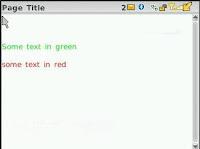
What we do is add a paragraph (p tag) of text that tells the user to turn on the CSS option as shown in our page on the left. You can use any element like Span, a or div. Just make sure you set the style accordingly and the browser supports the html element.

If the CSS is tuned off then the page will display with the all black font etc as shown in the left and our text will be displayed to the user (mission accomplished). 


To hide the text when the user has turned on the CSS setting, we use the properties: visibility and display.
.styletext
{
    font-size: xx-small;
    color: #000000;
    text-align: left;
    visibility:hidden;
    display:none;
}
<p class="styletext" >
This page is best viewed when you turn on CSS on your browser.
</p>
The reason I use both the properties is that I do not know what phone will support which property. The visibility property hides the element and the display property removes the element from the view. The image on the right shows how the page would look when the CSS is turned on by the user. 

Please note that the screen shot is from a blackberry curve and this phone does not seem to support the display css property and hence you see the empty white space on top. The kickstart phone actually removed the white space from the top too.

You will find list of supported CSS properties on the blackberry here. The visibility and display properties are available from browser version 4.6 and later. Do not trust this though. I found that even though the visibility property was supported by all the phones I tested, the display property was only supported by the Blackberry Kickstart (9100).

Phones Tested and this hack works:
- Blackberry Curve
- Blackberry Pearl
- Blackberry Kickstart

Steps for Toggling CSS and Tables option in Blackberry:

1. Open the Menu and select "Options"
2. On the Browser Options screen, select "Browser Configuration".
3. Select / Unselect the "Support Style Sheets" | "Support HTML tables" option.


Tuesday, February 13, 2007

ECMAScript Mobile Profile: Client Side Scripting for WAP pages

ECMAScript is a scripting programming language, standardized by Ecma International in the ECMA-262 specification. The language is widely used on the web, and is often referred to as JavaScript or JScript, after the two primary implementations of the specification. (More info on Wikipedia)

I had read about the support by WAP browsers for ECMA script Mobile Profile or ECMA MP (ESMP) about a year back but there werent many phones out there that had these browsers. The number of models with browser support for ECMA script has shot up quiet significantly since then. This makes it more interesting. I would love to be able to prompt the user about a wrong entry in a form without making a expensive (in terms of time) connection back to the server.

I searched around for documentation and samples on ESMP but couldnt find a lot of information. The best place to start would be the Sprint Developer Site, they do have a bunch of examples and tutorials to get you started. Sprint also has quiet a few handsets out that support ESMP. Search for ECMA in the documents section on the developer site. Nokia too has a document explaining the ESMP script but I did not find it useful. OMA website has a PDF that explains the whole shabang: OMA-WAP-ESMP-V1_0-20040709-C.pdf.

Detecting phones with ECMA Script Support.
I guess the easiest way is to check the HTTP Accept header of the request for 'text/ecmascript' mime type.
------
boolean bECMASupported = false;
String
accept = request.getHeader("accept");

if (accept != null && !accept.equals("") && !accept.equals("*/*")){
int
index = accept.indexOf("text/ecmascript");

if(-1 != index){
bECMASupported = true;
}
}

-----
I tried out client side validation with a simple length check on a form field. I am including the XHTML code below:

---------
--------
Screenshots of how the page looks and behaves on a Samsung A900 included here.


This stuff is really cool. ESMP might not make a big dent as Javascript is already supported on a bunch of smartphones and also the new Nokia Web browser for 3rd edition handsets but on "vanilla" handsets, it could provide an edge to the WAP applications.

Friday, February 09, 2007

CNET Mobile: Reviews and Prices from your cell phone

Played around with the CNET Wap site: http://m.cnet.com. Pretty cool, you now have the powerful reviews on techie products right in the palm of ur hand. The WAP site is simple and relatively well made. It allows you to access information available on the CNET website through a simple naviagation scheme.

The compare prices section also allows you to enter your zip code and then displays the pricing along with the taxes and shipping.

I initially got interested in the CNET shopping service after reading about the launch at Next Generation Shopping. They have recently launched an API (Beta) for accessing 3 of their sites. Integrating the API into existing applications sounds cool due to the type of products these sites carry. Check out the CNET API

Friday, August 04, 2006

[WAP] SCANBUY Shoppers WAP site is now online

The beta version of SCANBUY Shopper is now finally up and running. The WAP site is now available at http://search.scanbuy.com


Thursday, July 20, 2006

[WAP] Detecting Mobile devices on your WAP pages

The first thing you want to do while making a WAP site is to detect the browser that is accessing your site. Knowing the device that is accesing your site can help you determine what content and how this content should be delivered to the requesting browser.

I had been surfing through the web trying to determine the best way to go about detecting the users handset and carrier etc. but did not find a lot of material on this. I have included some of the stuff that works for me.

Determine the carrier:
The best way is to find this out is to look at the
HTTP_VIA header in the request. Most of the requests from handsets come through carrier gateways and that usually would provide you the name of the carrier.
e.g. One of the gateways for Sprint:
"1.1 kcindmagprx01-int.nmcc.sprintspectrum.com:8090, 1.1 ISA1"

As you can see, a simple search for "sprintspectrum" in the HTTP_VIA header will tell us that the mobile device is from Sprint. Similarly, Cingular devices have "mycingular" in the header.


Determine the handset:
There are 2 ways to go about this, you can either use the User Agent (HTTP_USER_AGENT) or the User Agent Profile (HTTP_PROFILE or HTTP_X_WAP_PROFILE). I prefer parsing the User Agent as it saves time making a request to get the RDF file and parsing the XML returned. However, if you need more information like the color depth, screen width and screen height then the UA profile is the way to go.

Some examples of User Agents are:

Nokia
- Nokia6230/2.0+(04.43)+Profile/MIDP-2.0+Configuration/CLDC-1.1+UP.Link/6.3.0.0.0
- NokiaN91-1/3.0 (1.00.001.15) SymbianOS/9.1 Series60/3.0 Profile/MIDP-2.0 Configuration/CLDC-1.1
-Mozilla/4.0 (compatible; MSIE 5.0; Series80/2.0 Nokia9500/4.51 Profile/MIDP-2.0 Configuration/CLDC-1.1

Sony Ericsson
- SonyEricssonK700i/R2N SEMC-Browser/4.0.1 Profile/MIDP-2.0 Configuration/CLDC-1.1

Motorola
-MOT-V3i/08.D8.35R MIB/2.2.1 Profile/MIDP-2.0 Configuration/CLDC-1.1
-Motorola-T33/1.5.1a UP.Browser/5.0.1.7.c.2 (GUI) (Google WAP Proxy/1.0)

Samsung
-SAMSUNG-SGH-T809/T809UVEJ9 Profile/MIDP-2.0 Configuration/CLDC-1.1 UP.Browser/6.2.3.3.c.1.101 (GUI) MMP/2.0
-Samsung-SPHA680 AU-MIC-A680/2.0 MMP/2.0
-SEC-SGHD807/1.0 TSS/2.5 UP.Link/6.3.0.0.0
-SGH-Z500 SHP/VPP/R5 SMB3.1 SMM-MMS/1.2.0 profile/MIDP-2.0 configuration/CLDC-1.1 UP.Link/6.3.0.0.

Sanyo
-Mozilla/4.0 (MobilePhone MM-7500/US/1.0) NetFront/3.1 MMP/2.0

Audiovox
-AUDIOVOX-PM8910KIT/T115SP0T07 UP.Browser/6.2.2.6.h.1.100 (GUI) MMP/2.0

LG Electronics
-LGE-VI125V01/1.0 UP.Browser/6.2.3.2.1.1.100 (GUI) MMP/2.0
-LG-CU500 Obigo/WAP2.0 Profile/MIDP-2.0 Configuration/CLDC-1.1 UP.Link/6.3.0.0.0
-LG-LX350 AU-MIC-LX350/2.0 MMP/2.0 Profile/MIDP-2.0 Configuration/CLDC-1.1

Siemens BenQ
- SIE-ME45/05 UP.Browser/5.0.1.1.102 (GUI)

RIM
-BlackBerry7100/4.0.2 Profile/MIDP-2.0 Configuration/CLDC-1.1

HTC
-HTC-8100/1.2 Mozilla/4.0 (compatible; MSIE 5.5; Windows CE; PPC; 240x320)

Here is a good site where you can find a more comprehensive collection of User Agents.

As you can see, its pretty simple to extract the Model Name and Manufacturer name from the User Agent, but if you are looking for more information then the UA profile is the best way to go.

Sunday, July 16, 2006

[Cell Phones]Slifter: Search stores closest to you

Another neat shopping application for cell phones.

"Slifter is a mobile and online local product finder, which includes a personalized shopping list, and the ability to send products to friends. Slifter contains a wide range of products from diverse online and offline retailers.

In addition to seeing descriptions and images of products you are searching for, you can get the address and phone number of the location selling the product and even a streetmap to help you find it.

There is no cost for using Slifter both on the go and online, although your mobile carrier may assess data service charges depending on your plan."


I tried the application out and after some intial connection issues on my phone it worked like a charm. Having information about the inventory of stores in my vicinity is definitely a plus.

You can download the application by visiting www.slifter.com on ur phone.